All docs ▾
Getting started
Using Vex
Studio approvals & scope
What is exported, what never is, and the 1-hour approval window.
Vex Studiohands an external coding agent Vex’s tool surface, but not all of it, and not with a shortcut around approvals. Two rules define the boundary: session-bound tools never leave the app, and a mutating call in a restricted project routes through the same in-app approval broker your own chat sessions use.
What gets exported
The default is generous. The export scope is written as an exclusion list, so a new tool exports unless someone records a reason it should not. The surface a coding agent sees is 213 tools: 29 internal Vex tools (wallet reads and sends, chain reads, token checks, quotes, swaps, bridges, unit conversion and the prepare/confirm signing pairs) plus 184 protocol tools across 12 protocol integrations. Of those, 63 carry the MCP destructive hint and 129the read-only hint; both are derived from what a tool actually does, never from a coarser “it writes something” flag. Every namespace exports; the one manifest held back is the desktop image locker listing, which an external agent has no locker to list.
Protocol tools are callable directly by name over MCP, with no activation step, because an MCP client’s tool list has to be the same for every project, client and environment. The list is emitted in one deterministic order for exactly that reason.
With two carve-outs: the session-bound tools below, and ToolSearch, which exports as vex_ToolSearch through its own read-only adapter. It searches the catalog and runs nothing: it never writes a session working set, its select:mode is refused by name, and a tool whose environment variable is unset is still listed, marked unavailable with the variable’s name and never its value. Its sibling vex_ToolDescribeexists only on this surface: it returns one tool’s complete contract (description, schema, action kind, approval card, quote gate, fee) for clients that cut long descriptions.
What never leaves the app
These tools only mean something inside a live Vex session: they act on session state, a mission contract or a transcript that an external client has no part in. They are excluded from the export scope entirely, and the executor refuses them by name:
| Tool | Why it stays in |
|---|---|
| Memory tools | Session memory search and resolve, plus the long-term memory surface (suggest, search, get, history). An external agent brings its own memory. See Memory. |
| Mission tools | Mission drafting and stopping act on a mission contract, which lives in the app. See Missions. |
LoopDefer | Pauses Vex’s own autonomous loop until a wake time. There is no loop to park here. |
CompactApply | Applies a prepared summary to a Vex session’s context. |
PlanWrite | Writes the plan of a Vex session in plan mode. |
BoardCompose | Attaches a rendered board to an in-app assistant message. The MCP path has neither the renderer nor the turn loop. See Boards & Token Radar. |
execute_tool | The internal approval-resume envelope. It has no tool definition at all and is refused by name so the answer is the real reason rather than “unknown tool”. |
Mutating calls go through the broker
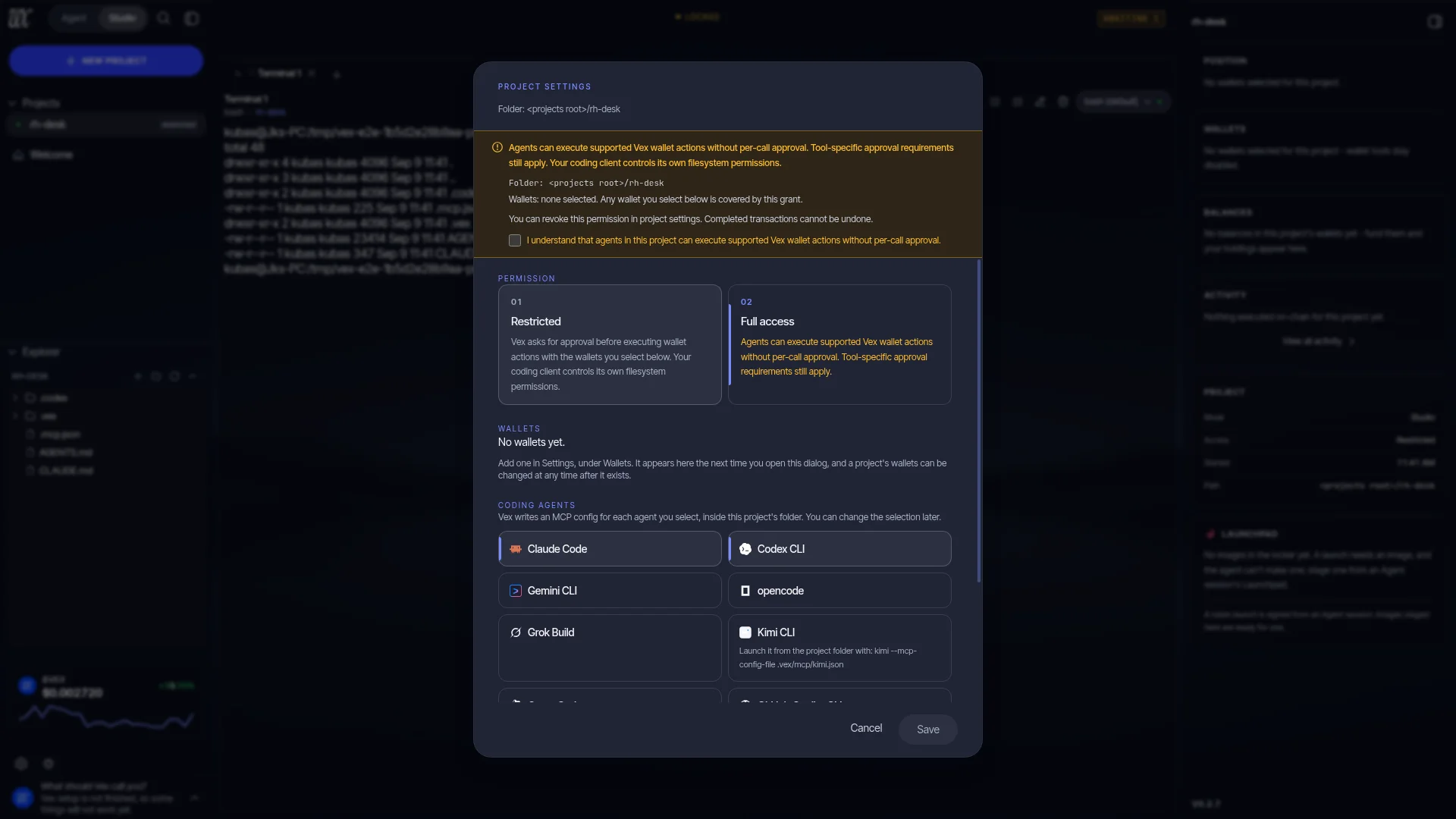
A project carries its own permission, restricted or full, and its own wallet selection: one EVM wallet and one Solana wallet, or none. No selection means no wallet, and every resolver fails closed rather than falling through to your primary wallet.
In a restricted project, a fund-moving call is answered with pendingApprovaland stops. An approval intent is written, it surfaces as an approval card in the Vex app, and the coding agent’s call blocks until a human decides. Nothing is signed or broadcast in between. The risk labels (info, low, medium, high, critical) and the Safety Contract apply unchanged. In a full project the same call runs without a per-call approval, exactly as a full-access session does in the app.
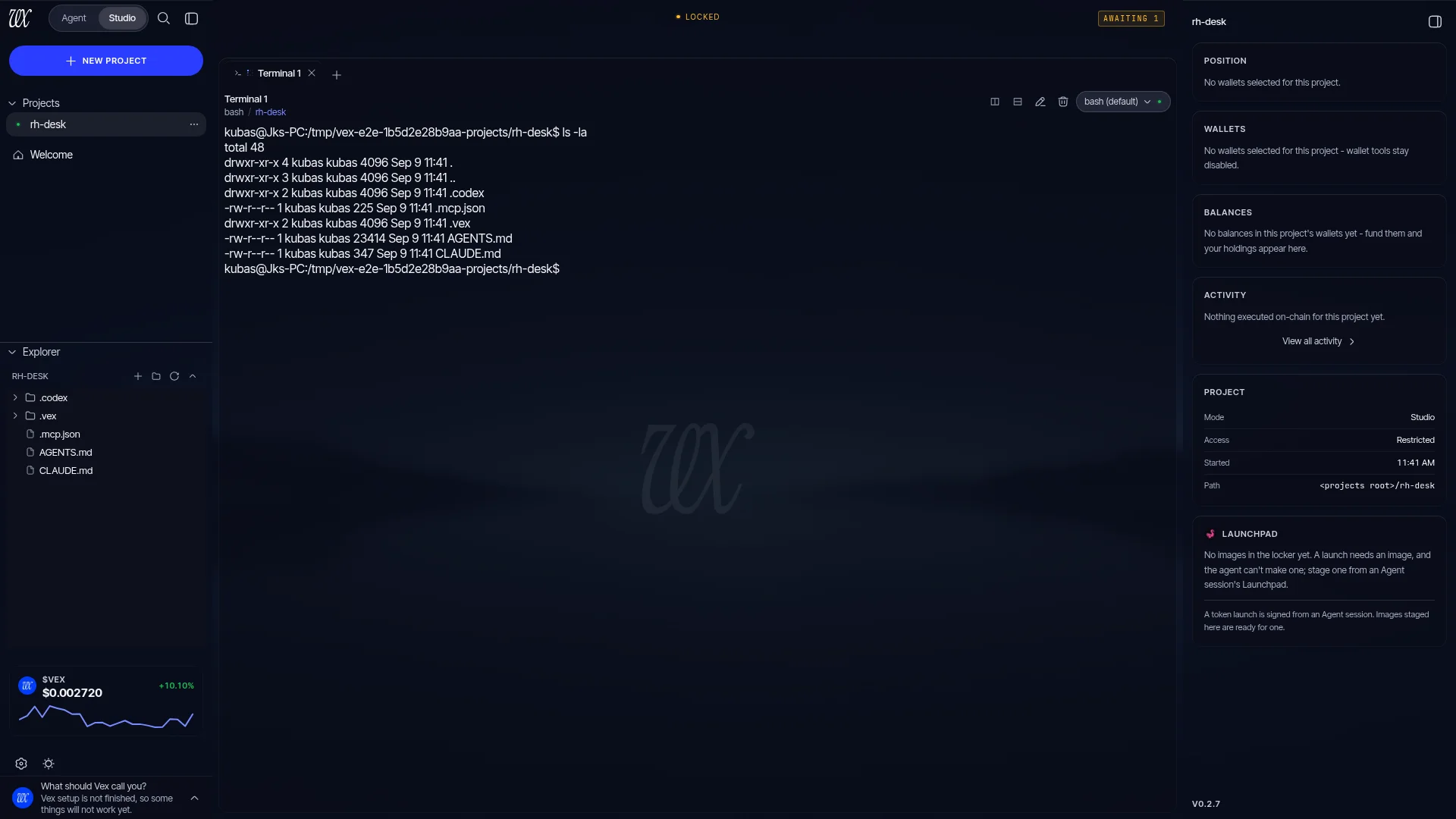
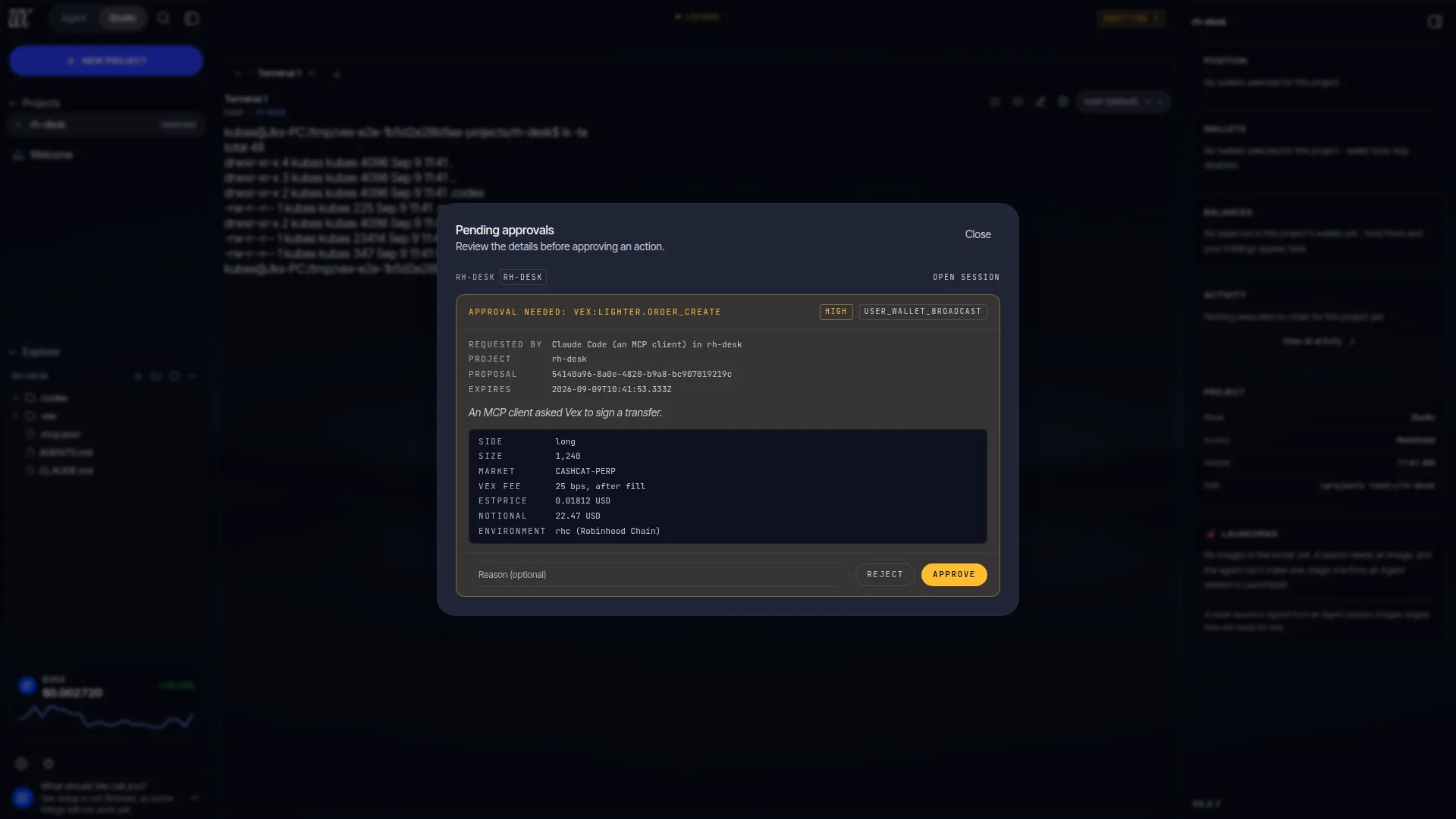
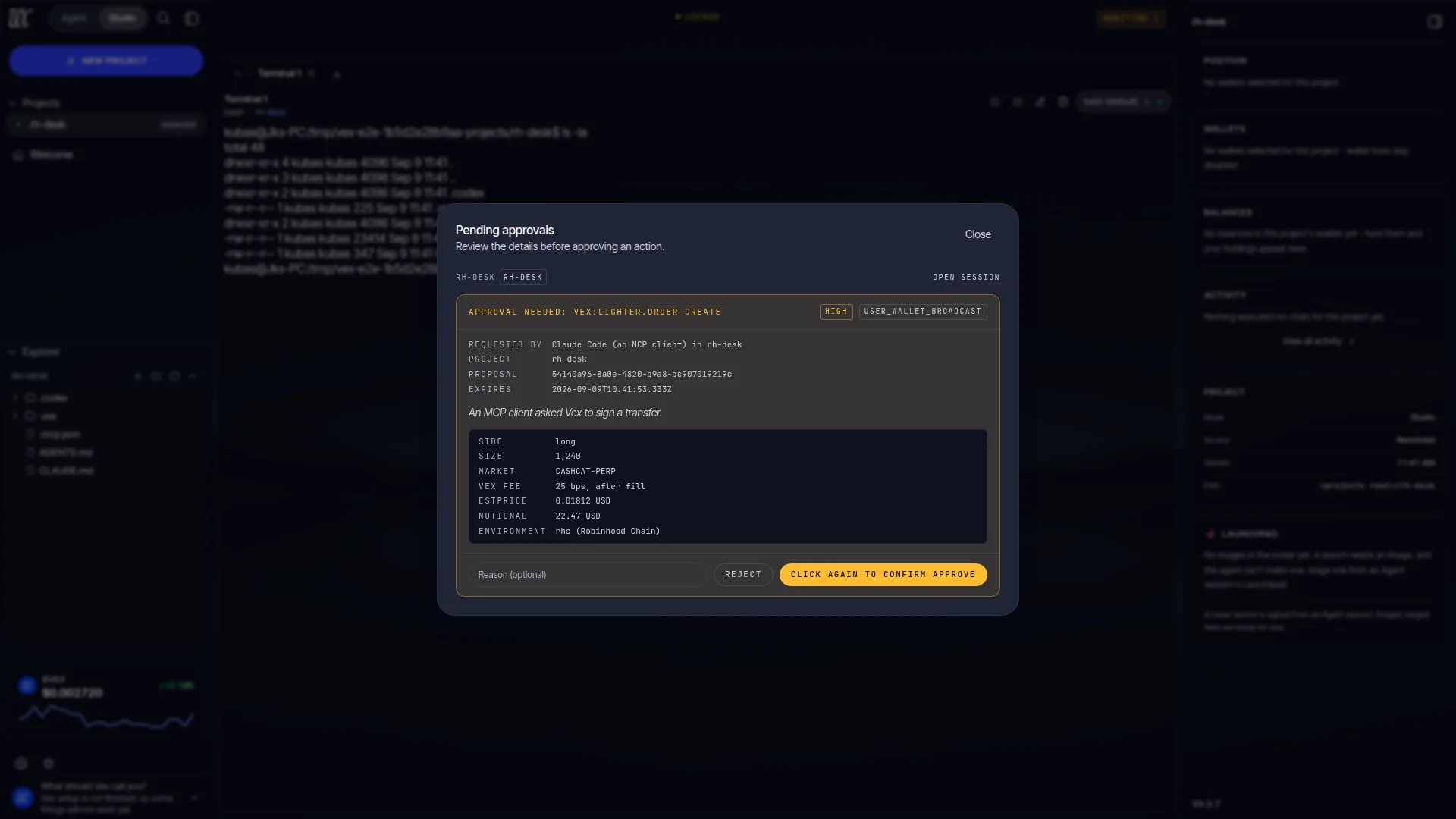
The gate is strict about what it proves before it enqueues anything: the project still exists, its permission and wallet selection have not changed since the call was admitted, and Vex is unlocked and ready rather than starting or shutting down. Edit a project’s scope while a card is waiting and the card is refused rather than parked against authority you have already changed; an action you approved a moment before the edit is re-checked once more at dispatch, inside the transaction that claims it, and refused if the scope moved. The card itself is bound to a digest of everything you read on it plus the project, the session, the scope version, the permission and the expiry; at execution Vex rebuilds the card and compares it field by field, so a stale approval physically cannot execute.
Waiting calls are bounded at 32. Above that a new call is refused by name, telling you to decide the outstanding cards first, because a parked approval request is indistinguishable from a slow human and a hang is not actionable.
The external agent never holds keys and never signs. It proposes; Vex asks you; your machine signs. That is the same sentence as the rest of the product, which is the point.
Two Lighter cards worth reading in full
Most approval cards describe one transaction. Two on the Lighter path describe something that outlives the call that raised it, so they carry more, and the executor rebuilds every field of them from the durable intent and fresh provider reads before it signs. Neither is ever populated from model text.
| Card | What it discloses before you accept |
|---|---|
| Lighter fee authorization | The collector it pays: Vex’s own Lighter account index and its L1 wallet address. The rates, as maker and taker separately: 2 bps of executed trade value on perpetuals and 25 bpson spot, where the spot fee is deducted from the asset you receive. The exchange’s own fees beside them, marked as separate from Vex’s. The expiry, ten years out, revocable at any time from Vex. And the account-tier change it requires: to Plus on Lighter Core or Premiumon Robinhood Chain (which has no Plus tier), applying to that wallet’s Lighter account and its subaccounts. The reason for the tier change is Lighter’s, not Vex’s: from 2026-09-14 Lighter rejects integrator-attributed trades and new integrator approvals from Standard accounts. Authorizing fees does not authorize a trade; every order still raises its own card. |
| Lighter deposit | The wallet, the environment and its settlement asset (USDC on Lighter Core, USDG on Robinhood Chain), the exact amount, the gateway contract it funds and the balance and allowance readings it was priced against, each stamped with the block it was read at. Its scope note is deliberately narrow: the approval covers the deposit and, when needed, the exact settlement-token allowance for it, nothing else, and network fees are selected at executionrather than fixed on the card. It places no trade and contains no swap, bridge, transfer, withdrawal or key registration; those need their own cards. Before signing, Vex revalidates the wallet, the chain, the gateway and asset metadata, balances, allowance, the transaction fee ceilings, the intent’s freshness and the wallet nonce lease, and writes the transaction identity down before broadcasting, so an ambiguous outcome is reconciled rather than retried. |
The seven outcomes
A call that went through approval, or was refused before it could be queued, resolves to exactly one named outcome, each with an honest sentence about what happened and whether funds moved:
| Outcome | What happened | Retry? |
|---|---|---|
completed | The call ran, with or without approval, and this is its result. | Depends on the result. |
declined | A person clicked Reject in Vex. Nothing was executed. | Yes, if still wanted. |
expired | Nobody decided within the window. Nothing was executed. | Yes, call again. |
refused | Vex cancelled the pending action itself: it locked, the project was deleted or its scope changed, the client disconnected, or Vex quit. Nothing was executed. | Once the cause is resolved. |
dispatch_failed | Approved, but Vex could not carry it out. Nothing was executed. | Not automatically. |
indeterminate | Dispatched, but Vex cannot prove whether it took effect. Funds may have moved; Vex reconciles it itself. | No. The sentence leads with DO NOT RETRY. |
not_queued | The call never became a decidable approval: Vex is locked, at capacity, the project is gone. Nothing was executed. | Depends on the named cause. |
While a card waits, a client that sent a progress token hears from Vex every two seconds (“Waiting for a person to decide this action in Vex.”), which is what keeps a long wait from looking like a dead tool.
The approval window
A Studio approval is valid for 1 hour, stamped at enqueue rather than at approval, and never longer than the action itself can stay valid: a prepared swap whose quote or blockhash expires sooner expires with it. Within that window you can leave the card sitting there and the coding agent’s tool call waits with it. Past it, the approval expires and the call is answered with a refusal rather than executing against a market that has since moved. Each waiting call arms its own timer at the intent’s expiry, and a sweep every five minutes is the floor under approvals whose process died, starting with the first cycle the moment Vex boots.
This is why the Studio installer raises each client’s tool-call timeout where it can: the client must be willing to wait as long as the approval is. If you wired a client by hand, do that yourself. See Supported agents.
Studio only works while Vex is open and unlocked. An approval cannot be granted in an app that isn’t running, the socket isn’t listening either, and locking Vex closes every connection and refuses the actions still queued behind them. See Vex Studio.