All docs ▾
Getting started
Using Vex
Vex Studio
Your coding agent, on the whole Vex tool surface, with your hand on every decision.
Vex Studio connects the coding agent you already work in (Claude Code, Codex CLI, Gemini CLI, Cursor and the rest of a 15-client roster, 13 wired today) to the same tools, wallets, approvals and fee rules the in-app Vex agent uses. The agent that writes your trading bot can read your real balances, quote a swap on the real market, and propose the real transaction. It can never sign one: every fund-moving action in a restricted project stops at an approval card in Vex, and what you approve is exactly what executes, or nothing executes.
Mechanically it is an MCP server hosted inside the Vex desktop app, a small Go binary (vex-mcp) that bridges any stdio MCP client to it, an installer that writes the per-project config each client expects, and an in-app workspace with a project rail, a terminal, a file viewer and search. There is no cloud in that sentence: the server lives on your machine, your keys stay in Vex’s vault, and the agent gets tool calls, never your database, never your keys, never a network endpoint.
Studio needs Vex running and unlocked. If your coding agent reports the Vex tools as unavailable, that is usually the whole diagnosis. See Troubleshooting.
What your agent gets
The server exports 213 tools, identical for every project, client and machine. 29 load with their full descriptions on every connection: wallet balances and sends, swap quote and execute, bridge quote and execute, token lookup, chain reads, unit conversion and the generic transaction prepare/confirm pairs for EVM and Solana. The other 184 are protocol tools across 12 integrations, found through vex_ToolSearch, a read-only catalog search that runs nothing, and called directly by name. A second export, vex_ToolDescribe, returns a tool’s whole contract for clients that cut long descriptions.
Every tool carries an honest read-only or destructive hint (129 read-only, 63 destructive), and a tool whose provider key you have not configured is still listed: calling it returns the name of the missing variable and the remedy, never a silent absence. Memory, missions and the session-bound primitives stay inside the app, because they only mean something inside a Vex session. The full boundary is on Studio approvals & scope.
On the money side the agent reaches every venue the in-app agent does: KyberSwap and Uniswap swaps, Relay and Khalani bridges, Pendle yield, Morpho lending, Jupiter on Solana, Virtuals curve trades and agent launches, pools.fun launches and holder rewards, Lighter perpetual and spot trading on Lighter Core and Robinhood Chain, with funding, withdrawals and managed trading keys, and plain transaction signing. The Vex fee is the same 25 bps, charged only after the action it charges for confirms, and it is printed on the card you approve. Lighter is the one exception to that rate: its fee is charged by the exchange as an integrator fee you authorize once, 2 bps on perpetuals and 25 bps on spot, and Lighter trading is where that is spelled out.
The in-app workspace
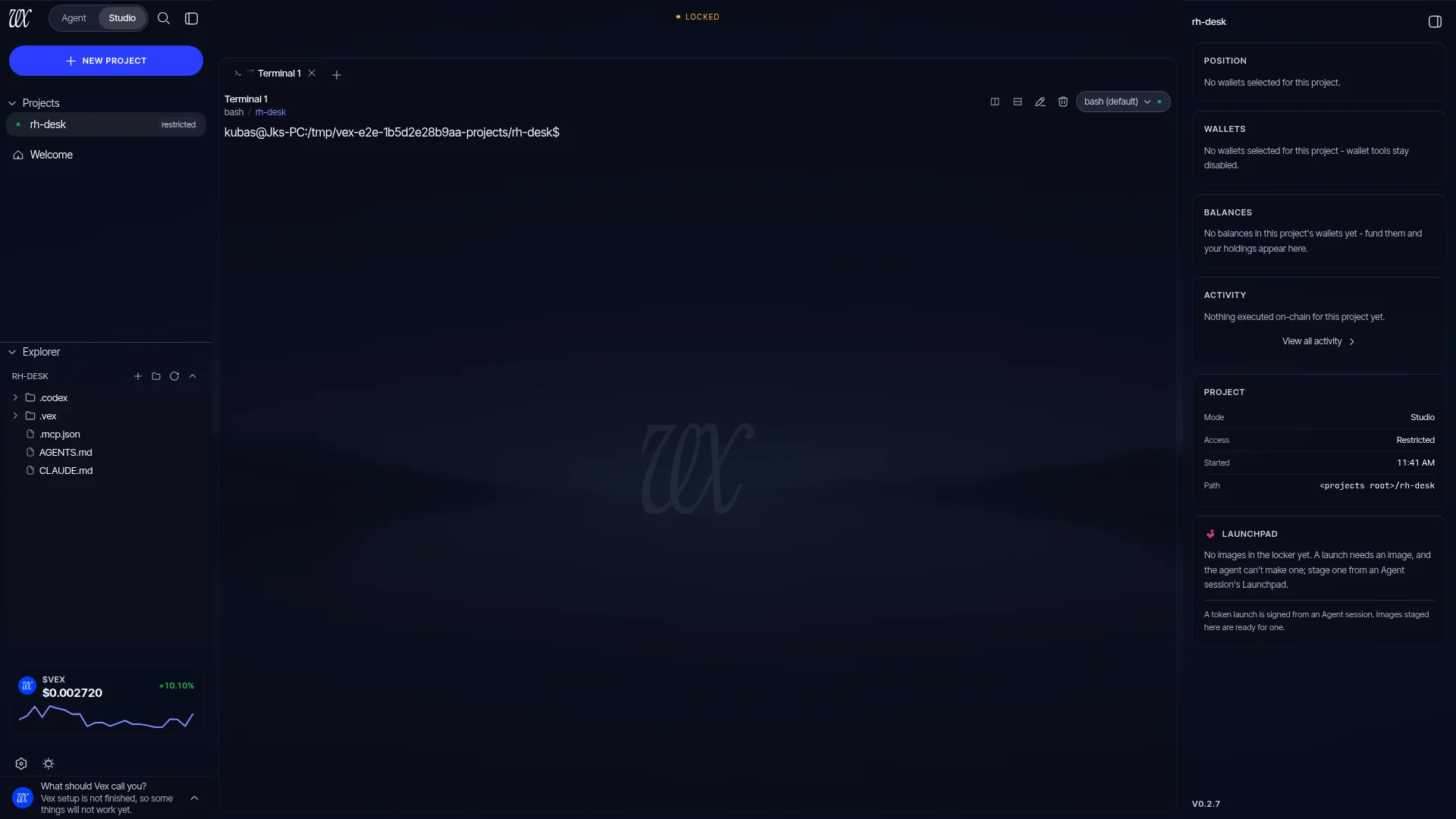
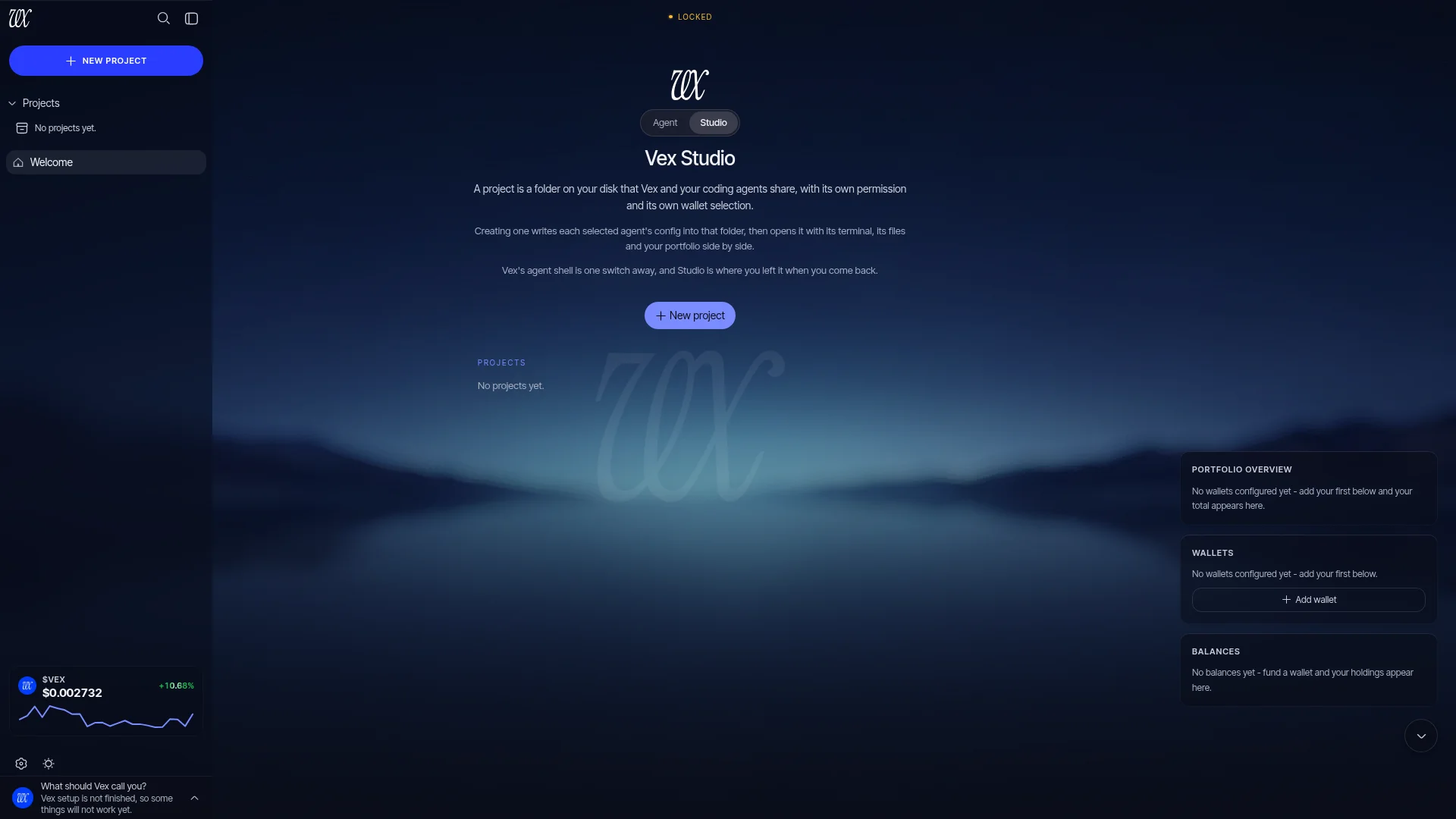
The Agent | Studiotoggle at the top of the app switches between Vex’s two shells; it is a real, keyboard-accessible control, and Ctrl+Shift+A flips it directly. Inside Studio a project opens into four panes: the projects rail with the file explorer, a terminal running real shells in tabs, a file viewer with syntax highlighting, and one search field that returns project and file matches together. Studio keeps up to four project workspaces mounted at once, each with its live terminal and expanded tree, and asks you to close one before opening a fifth rather than silently killing a shell. Close and reopen Vex and you land where you left off: the same project, the same file tab, the same terminal tabs, focus already on the terminal.
The local MCP server
On macOS and Linux Vex hosts the server on a unix socket in a directory only your OS user can enter. On Windows a small supervised child process binds a named pipe with its own protected security descriptor, and the host publishes the endpoint only after Windows confirms, on readback, that the pipe rejects remote clients, is the first instance of its name and runs in message mode. Anything less is refused by name; nothing network-reachable exists on either platform.
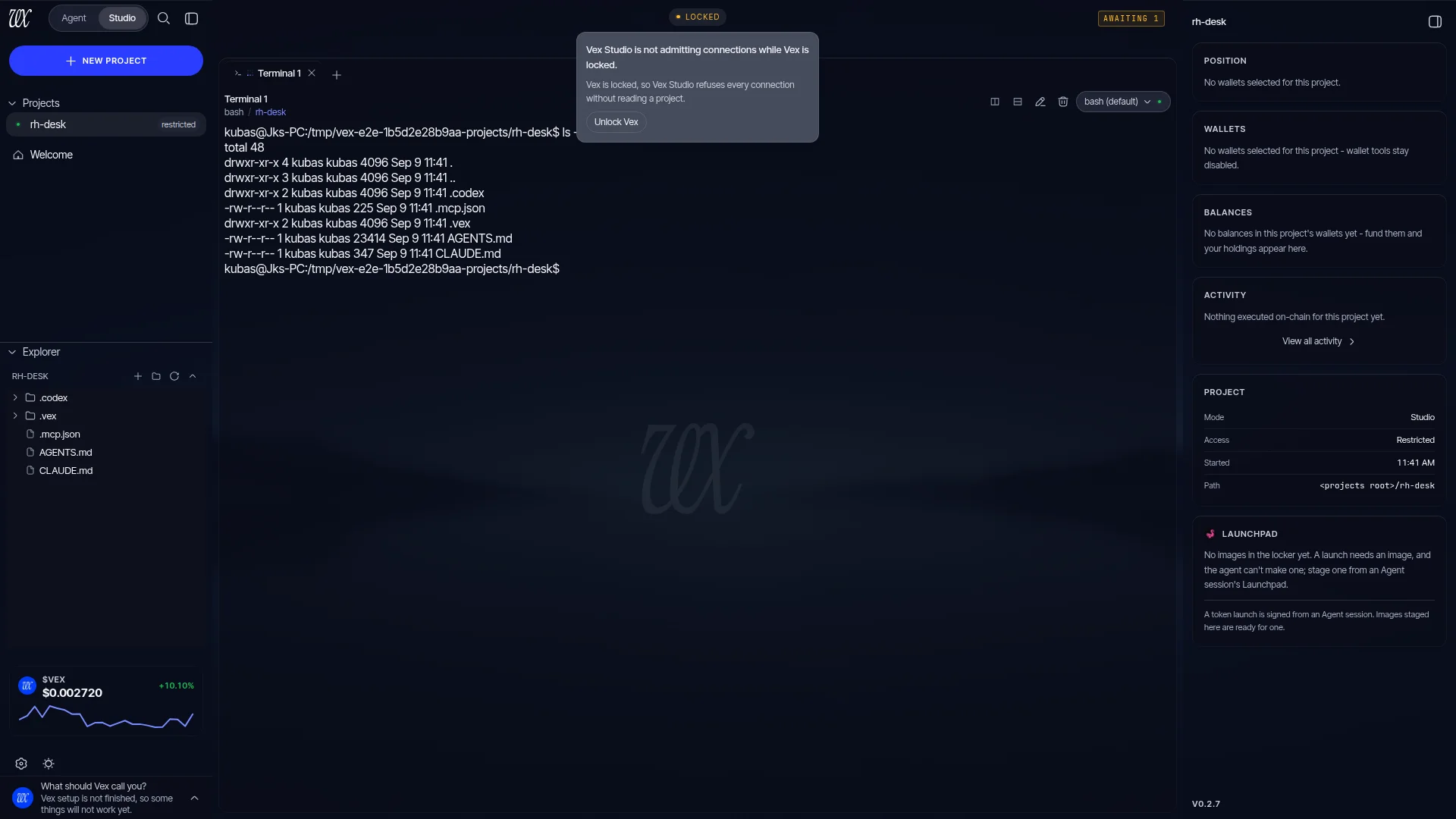
The endpoint only listens while the app is unlocked and ready. A self-custodial wallet does not leave an always-open door on the machine: locking Vex closes the listener and refuses every action still waiting on a card, so a bridge is told rather than left hanging. The host is bounded rather than elastic: at most 16 established connections, 4 waiting to handshake and 32 calls in flight, and past a bound the next connection gets a typed refusal instead of an unexplained close.
The vex-mcp bridge
Coding agents speak MCP over stdio; Vex listens on a socket or pipe. vex-mcp is the standalone Go binary that connects the two. It ships inside the packaged app, and the configs Vex writes name its absolute path rather than a bare command, so no other binary called vex-mcp on your PATH can be spawned in its place. It relays bytes and decides nothing; every policy lives in Vex.
It is deliberately dumb about failure: no retries anywhere, one sentence to stderr when something is wrong, and exit code 0 on success or one of 12 distinct codesotherwise, one per failure class, so a failure is legible in your client’s log instead of a hang. The ones you will meet:
| Exit code | Condition | What to do |
|---|---|---|
7 | Vex locked | The app is running but the vault is locked. Unlock Vex and connect again. |
5 | Unknown project | The project id does not match a project in this install: it was deleted, or the id came from another Vex installation. Copy the command Vex shows for the project. |
8 | At capacity | Vex already holds its 16 connections (or 4 mid-handshake) and refuses more rather than dropping one that may be waiting on your decision. Close an unused client. |
3 | Dial failed | Nothing is listening: Vex is not running, or the client and Vex use different config directories. |
The full 13-row table, including the two Windows-only refusals, is on Troubleshooting.
Projects and the command
Studio is scoped per project: a real folder under the projects root plus one backing Vex session. A project carries a permission, restricted or full, and a wallet selection of one EVM wallet and one Solana wallet, or none. No selection means no wallet: every resolver fails closed rather than falling through to your primary wallet. The bridge is always told which project it serves, as an argument or through the VEX_PROJECT_ID environment variable:
vex-mcp --project <uuid>

# or, equivalently:
VEX_PROJECT_ID=<uuid> vex-mcp
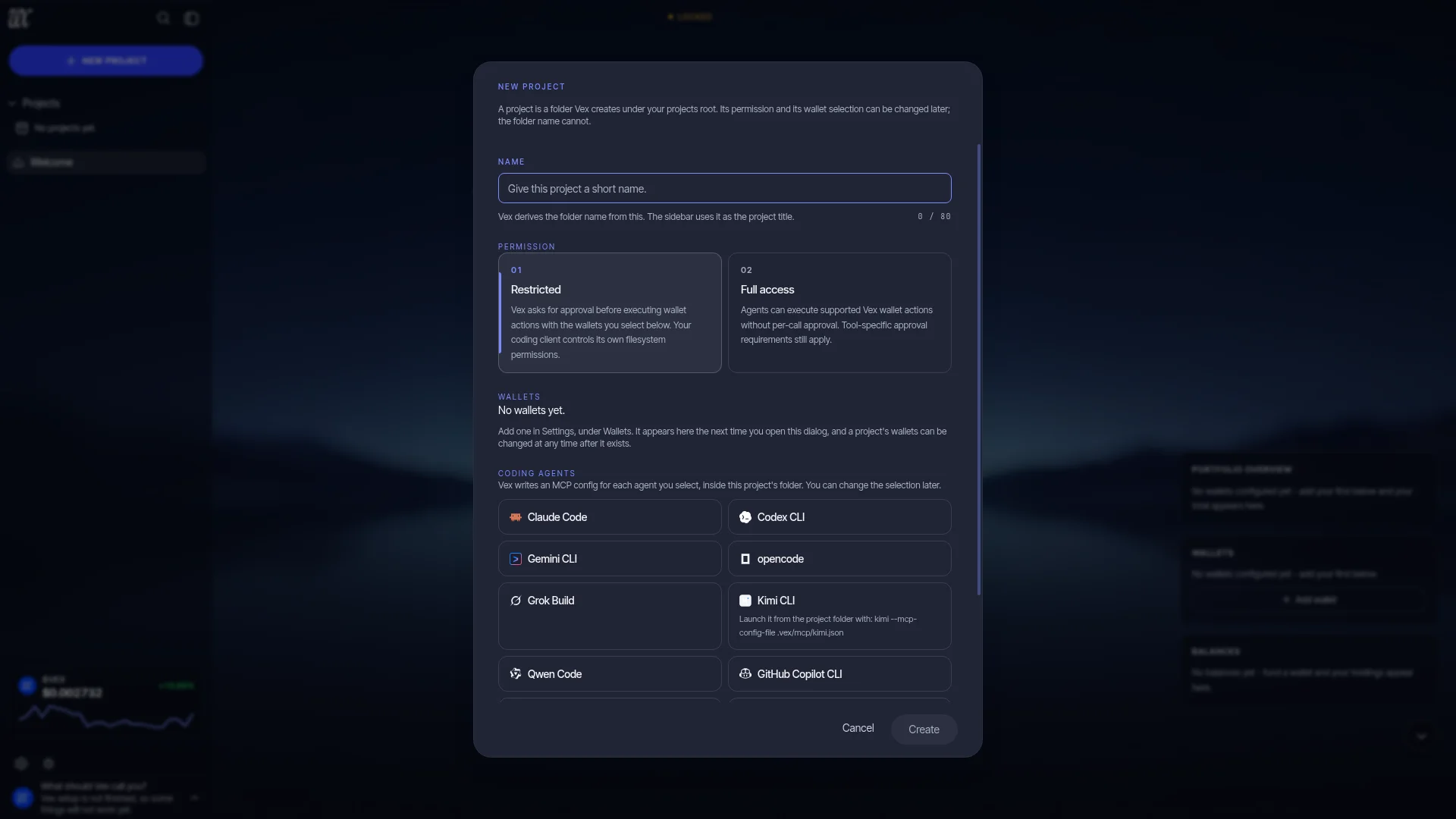
You don’t assemble this by hand. The installer writes it into your client’s config file with the absolute bridge path and the project’s uuid filled in, under the server key vex, and writes four project files beside it. See Supported agents.
Projects live in a user-visible workspace, deliberately outside Vex’s config directory: by default ~/Vex/projects. You can point that somewhere else with projectsRoot in config.json, absolute paths only. The root is anchored in the database at first project creation and proved unchanged on every read and write, so moving it once projects exist is refused rather than silently re-homing them. See Configuration.
Scope is read fresh on every call
Permission and wallet selection are read in one atomic snapshot on every tool call; nothing is cached on the connection. Flip a project from full to restricted and the very next call, on a connection opened hours ago, obeys the new rule. Edit the scope while a card is waiting and that card is refused rather than run under settings you have already changed; an action you approved a moment before the edit is re-checked once more at dispatch, inside the same transaction that claims it, and refused if the scope moved. Concurrent edits are version checked, so nobody’s authority change silently overwrites anybody else’s.
An external coding agent never gets your keys. It gets tools; you get approval cards in Vex. Nothing signs without you.