SELF-CUSTODIAL · DESKTOP · SOURCE-AVAILABLE
An autonomous crypto agent that can’t spend without you.
Vex is a self-custodial desktop app for macOS, Windows and Linux. It researches markets, quotes swaps and runs multi-day missions on-chain, while your keys stay on your machine and every trade clears your approval.
v0.2.12 · source on GitHub ↗ · macOS / Windows / Linux
FROM THE LIVE APP
See it work. Then read the log.
Real screenshots of the desktop app, and the mission film underneath. No mockups, no staged terminals.
Screenshot from the live app
This is Vex.
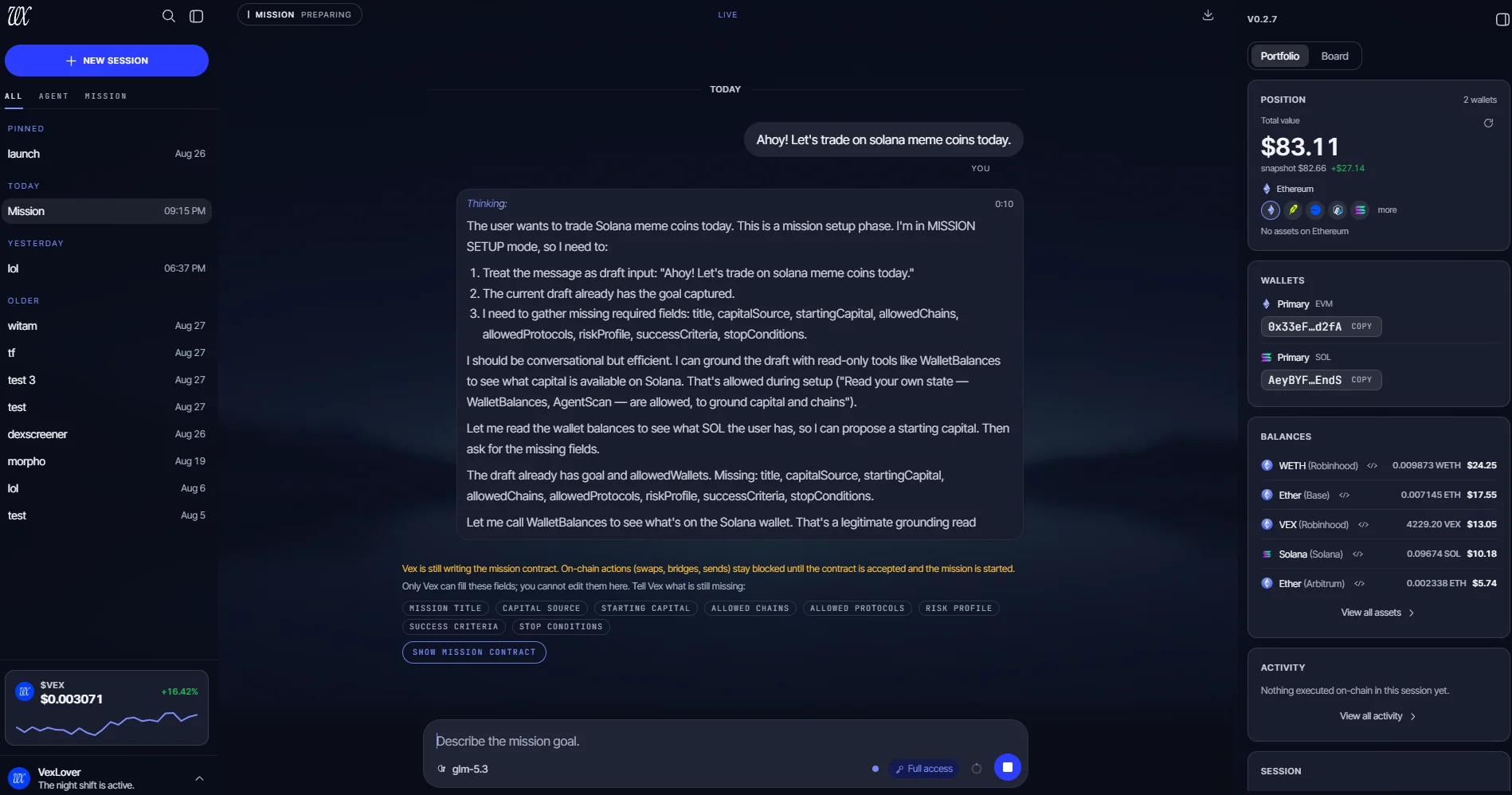
A mission session in the chronos theme: the chat thinks in the open, the mission contract fills in field by field, and the Book rail keeps your wallets and balances beside the conversation.
- 1Visible reasoning: the plan is on the record before any call runs
- 2The mission contract: on-chain actions stay blocked until every field is filled and the contract is accepted
- 3The Book rail: live balances and positions, per wallet and per chain
Screenshot from the live app
Every action, on the record.
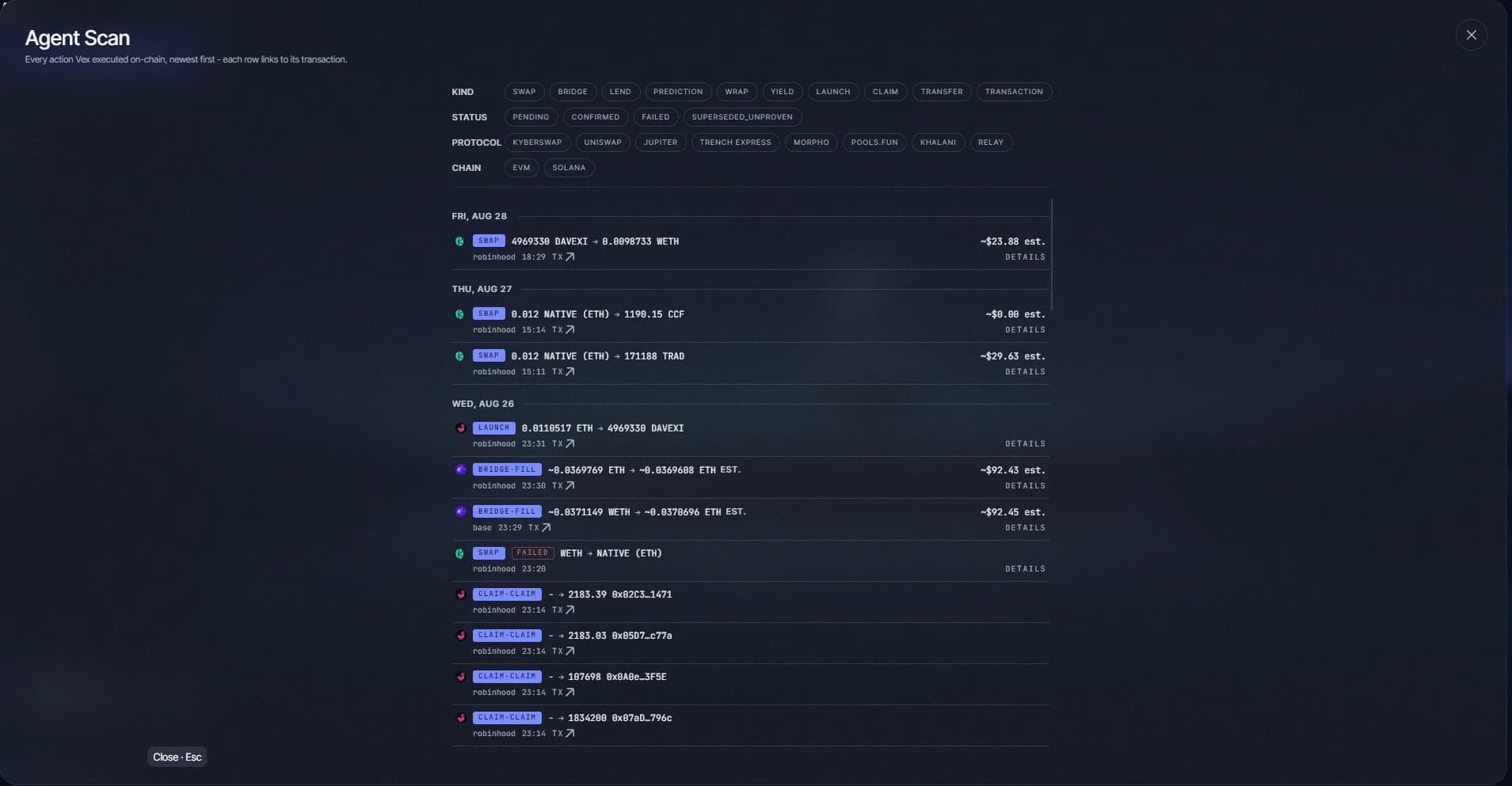
Agent Scan is the in-app ledger of everything Vex has executed on-chain, newest first, with day dividers. It is the log you read after the fact, and it never renders a timeout as an empty history.
- 1Every on-chain action Vex executed, newest first
- 2Each row links to its transaction on a block explorer
- 3Filters by kind, status, protocol and chain
Screenshot from the live app
Launches, gated like everything else.
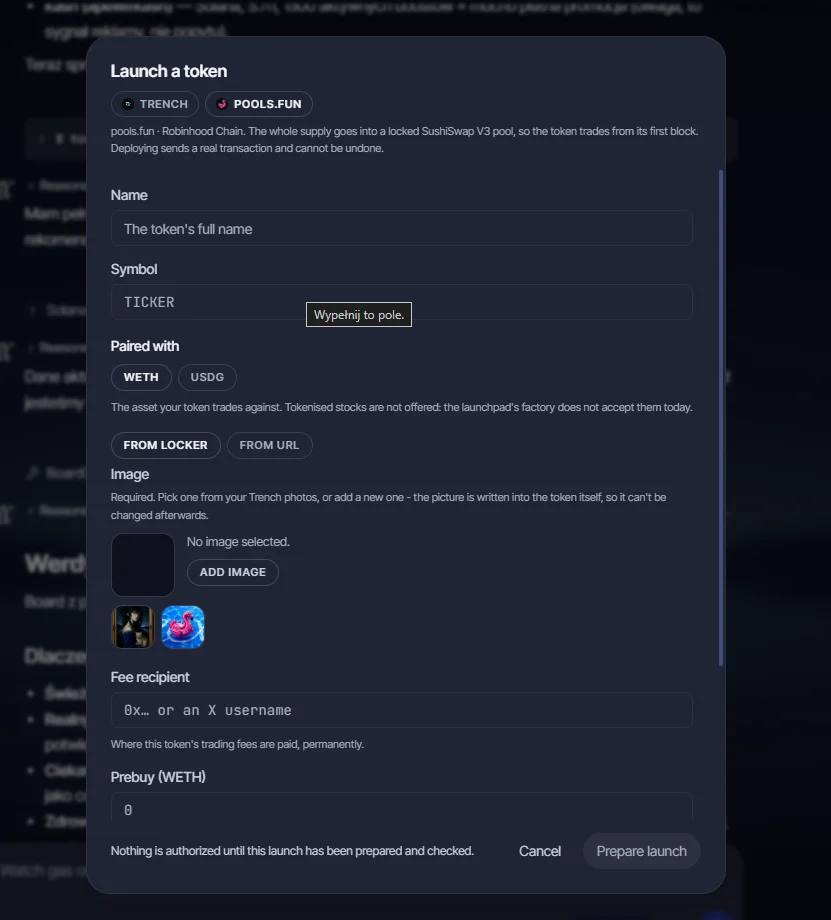
The Launch a token dialog runs on Robinhood Chain through two lanes, Trench and pools.fun. You fill the figures, Vex prepares and checks them, and only then can anything deploy.
- 1Two lanes: Trench and pools.fun, both on Robinhood Chain
- 2pools.fun locks the whole supply into a pool, so the token trades from its first block
- 3“Nothing is authorized until this launch has been prepared and checked.”
The mission film · 49s · plays while in view
HOW IT RUNS
Four ways to run it.
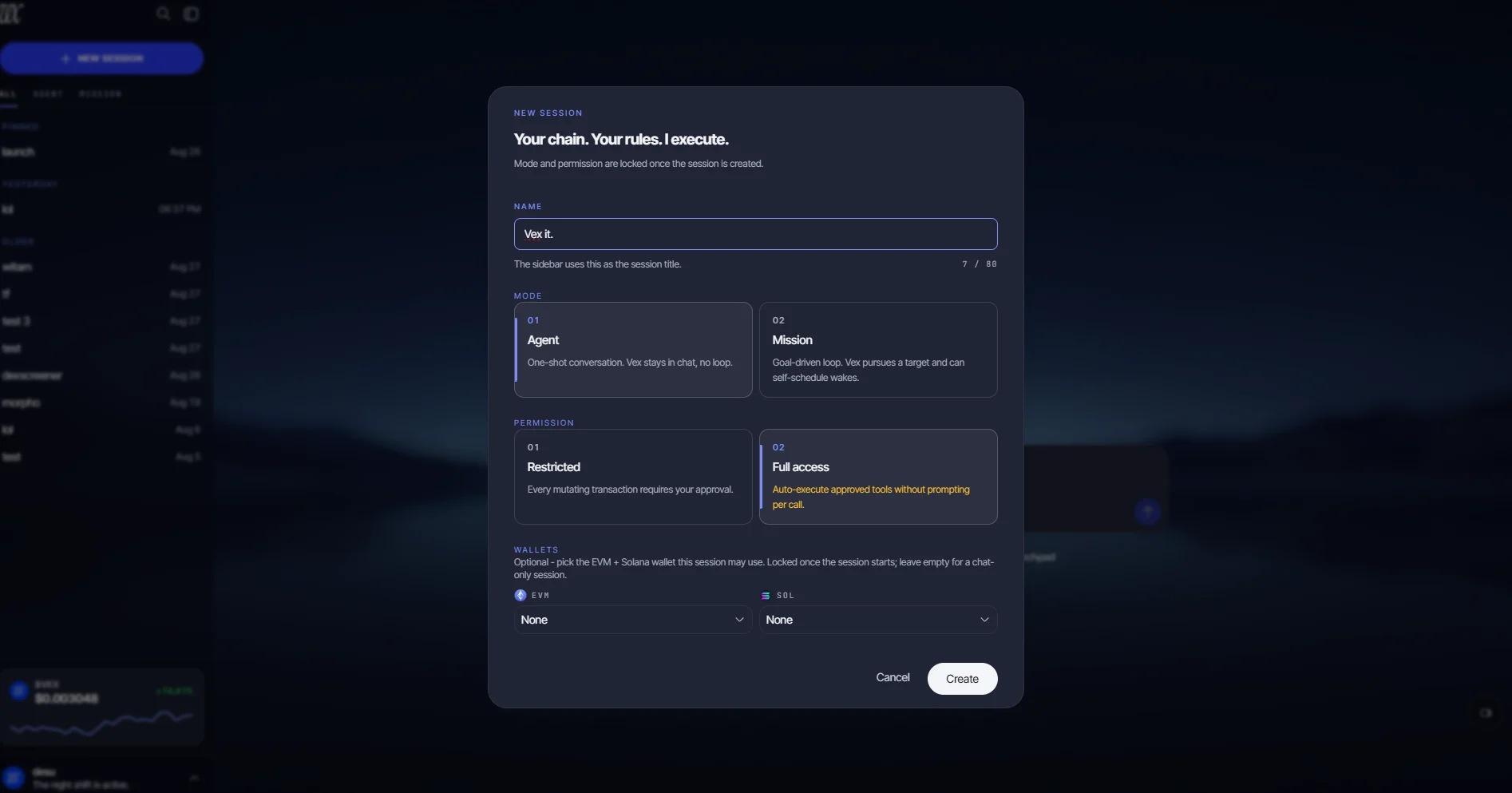
Every session picks a mode and a permission level when it is created. The descriptions below are the dialog’s own copy.
Mode
One-shot conversation. Vex stays in chat, no loop.
Goal-driven loop. Vex pursues a target and can self-schedule wakes.
Permission
Every mutating transaction requires your approval.
Auto-execute approved tools without prompting per call.
Mode and permission are locked once the session is created.
Screenshot from the live app
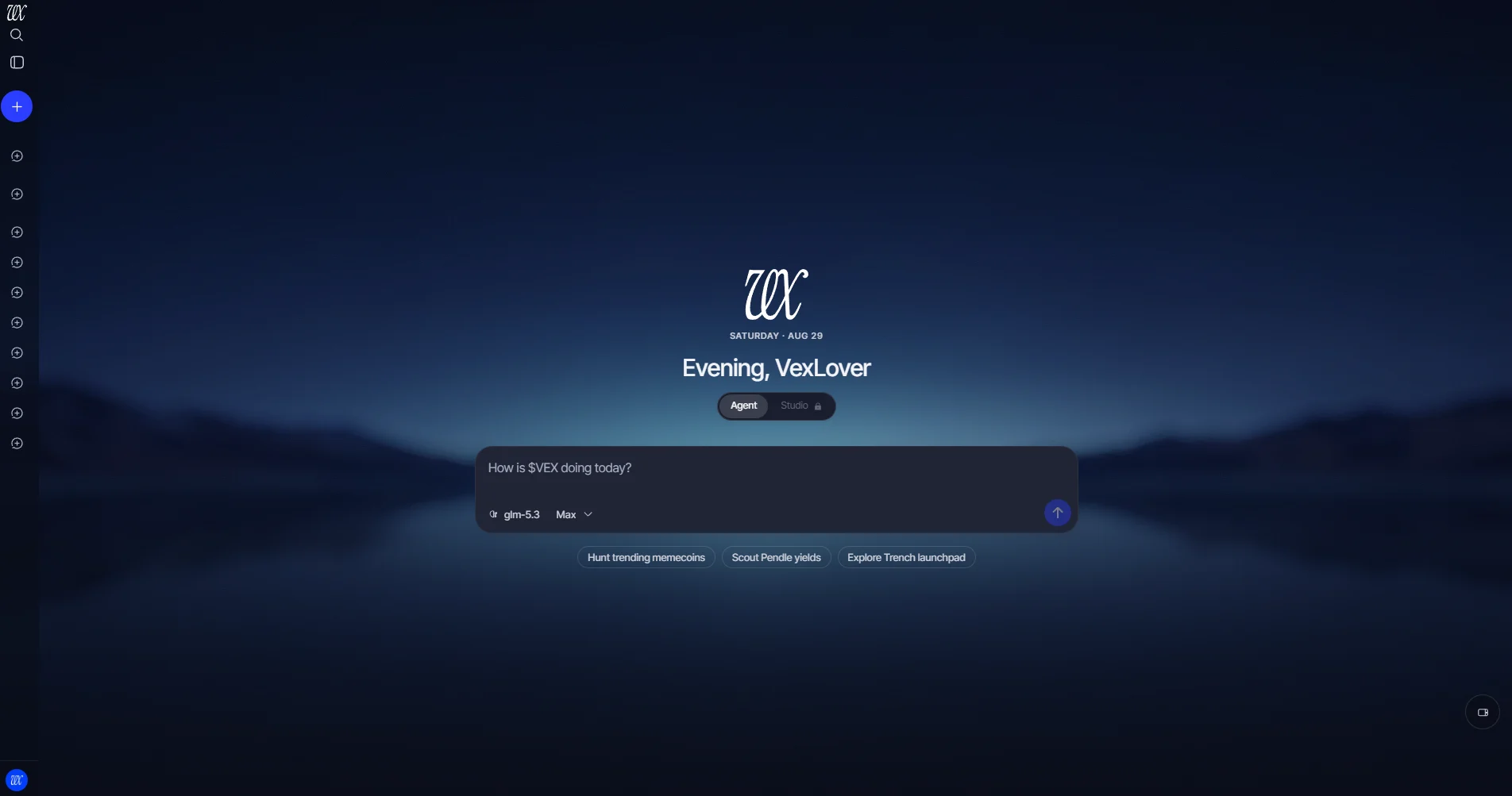
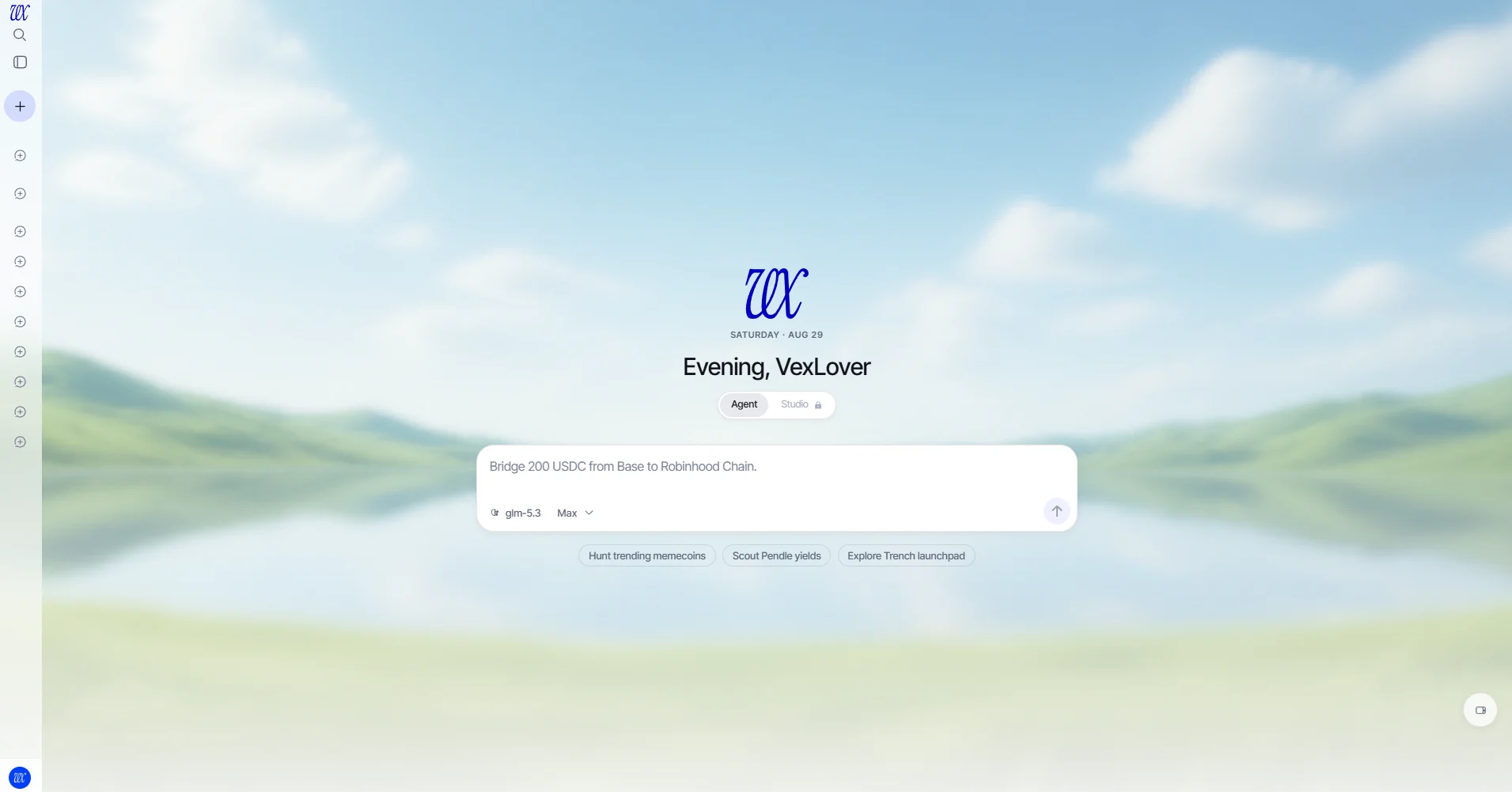
Chronos and Celeris. Dark and light, same rules.
BIOLOGICAL MEMORY
Memory that earns its keep.
Vex proposes its own lessons, but nothing is remembered on its own say-so. Every candidate passes deterministic fail-closed filters, then a five-axis judge, before it becomes long-term knowledge.
THE SECURITY MODEL
Built to be distrusted.
Don’t take the claims. Take the code. Every card below ends in the doc that proves it.
“The agent proposes. You approve.”
Keys never leave the machine.
Wallets are generated locally and sealed in AES-256-GCM keystores, derived with scrypt (N=2¹⁷). No custodian, no server-side signing, no cloud backup.
Approval-gated by default.
Every mutating call creates an intent you act on in the app, risk-labelled from info to critical. Full access exists for sessions you choose; the Safety Contract still applies.
Rules the model can’t override.
The Safety Contract is enforced by the runtime, not by the prompt: two-step quote→execute on the same venue, token verification, gas reserve. Tool output is data, not instruction.
Memory stays home.
Conversations, lessons and embeddings live in a local Postgres bound to 127.0.0.1, with embeddings computed on your machine. Crash reporting is strictly opt-in.
What Vex can’t protect.
A lost master password. A trade you approve yourself. Builds that don’t come from GitHub Releases. We will never DM you first, and we will never ask for your seed phrase or master password.
COUNTED FROM SOURCE
Counted from source, not marketing.
The numbers below come from the code you can read and the public GitHub release counters.
GET IT
Put it on your machine.
Free to use. Source-available. Signed and notarized on macOS, signed on Windows; Linux builds are unsigned, so download them only from the official GitHub Releases.
Latest release · all builds and checksums ↗
Before first run.
Source-available license: free to read, audit and run for personal self-custody. Not an OSI open-source license: redistribution and forks aren’t licensed. Read it ↗
FOR DEVELOPERS
Give your coding agent Vex’s hands.
Studio is the workspace inside Vex and the MCP server behind it. It connects 15 coding agents to the same tools, wallets and fees as Vex’s own agent, and every fund-moving action still clears an approval card in the app.
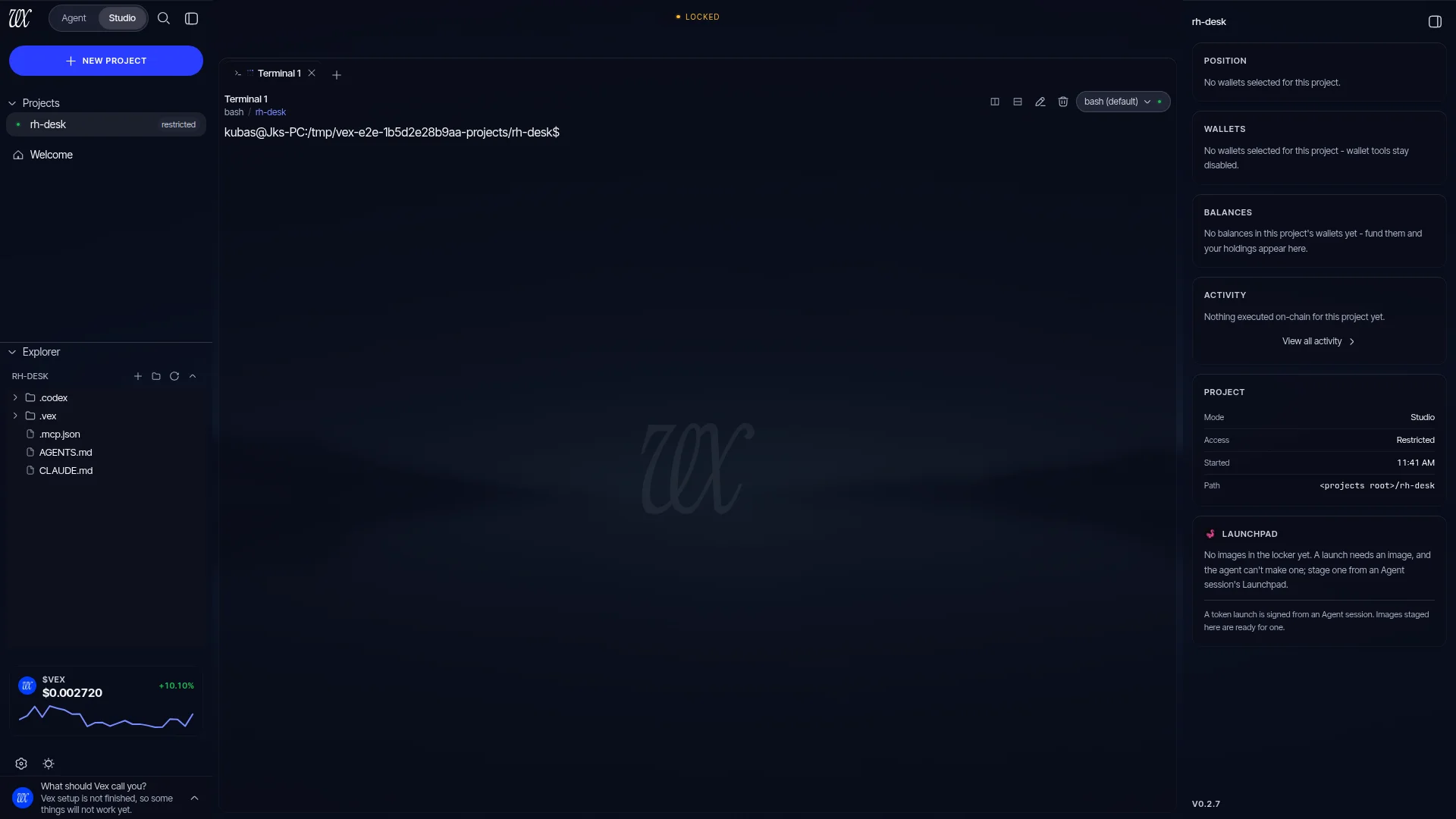
Screenshot from the live app · a project open in Studio: rail, terminal, portfolio
- Flip the Agent | Studio toggle and a project opens into a terminal with real shells, a file explorer and viewer, and one search across projects and files. Up to four projects stay alive at once, and a relaunch brings you back to the same tab.
- The server exports 213 tools over MCP: 29 load instantly and 184 protocol tools are found through the read-only
vex_ToolSearch, identical for every project, client and machine. - It serves calls only while Vex is open and unlocked. There is no always-on door into a self-custodial wallet.
- In a restricted project, mutating calls route through the same in-app approval broker; a Studio approval waits up to 1 hour for you.
- Projects live in
~/Vex/projects. Vex writes each client’s MCP config and four project files itself, verifies every write against a fingerprint, and never deletes a file.
The 15-agent roster · 13 wired today
$VEX · ROBINHOOD CHAIN · VIA VIRTUALS
The app is the product. The token is its meter.
Vex takes a 25 bps fee on successful swaps, bridges and launches, charged on the input token and only after success. Fees accrue to public treasuries and fund $VEX buyback and burn. Quotes, reads and research are free.
Chain id 4663. Not financial advice. Only trust the contract address posted by @ProjectVEXai.
FAQ
The questions that decide trust.
Can Vex move funds without me?
Not by default. In restricted mode every fund-moving action creates an approval you must click, fail-closed: an error means no trade, not a silent one. Full mode skips the generic gate for a session you configure; the Safety Contract still applies, and you choose per session.
How approvals work →Where do my keys live?
On your machine. Wallets are generated locally and sealed in AES-256-GCM keystores under a scrypt-derived master key. No custodian, no server-side signing, no cloud backup. Deleting the config directory deletes your keys, so export backups first.
Where keys live →Does it depend on the cloud?
Inference runs through your own OpenRouter key, on your own account. Your wallet, approvals and signing stay inside the app on your machine; memory, embeddings and the database run in local Docker containers whose ports bind to 127.0.0.1, never the LAN. Crash reporting is strictly opt-in and off by default.
The privacy model →Is it open source?
Source-available: free to read, audit and run for personal self-custody. Redistribution, forks and commercial use aren't licensed, so no, not OSI open source, and we won't call it that. The code is public because trust should be checkable.
Read the license ↗What does it cost?
The app is free to use. You pay your own inference (OpenRouter) and gas. Vex takes a 25 bps fee on successful swaps, bridges and launches, charged only when the action succeeds and never on one that reverts or fails. Quotes, reads and research are free.
How the fee works →What do I need to run it?
macOS 13+, Windows 10/11 x64, or Ubuntu 22.04/24.04; Docker with Compose 2.23.1 or newer (Windows needs the WSL2 backend); an OpenRouter API key; and a one-time ~333 MB model download on first run.
Full requirements →Where do I buy $VEX, and what is it for?
Through Virtuals Protocol on Robinhood Chain. The Buy link on this page goes to the official listing. The 25 bps fee funds $VEX buyback and burn; the app never requires the token. Verify the contract address against the one posted by @ProjectVEXai before you trade.
The economic model →Your keys. Your machine. Your agent.
The app is out. The docs are open. Verify everything.