All docs ▾
Getting started
Using Vex
Supported agents
The 15-client roster and how the installer wires each one.
Vex Studio knows a closed roster of 15 coding agents. It is a fixed list, not a plugin surface: each supported client is wired by an installer that knows that client’s config dialect, the exact path to Vex’s own entry, its timeout mechanism, and the fields Vex must never write.
The roster
Each client has a stable id. The order below is the roster order in the source, which is also the order the picker uses. Thirteen of the fifteen have a writer; two do not, and the table says so rather than implying coverage that is not there.
| Id | Client | How Vex wires it | File |
|---|---|---|---|
claude-code | Claude Code | Project file | .mcp.json |
codex | Codex CLI | Project file | .codex/config.toml |
gemini-cli | Gemini CLI | Project file | .gemini/settings.json |
opencode | opencode | Project file | opencode.json |
grok-build | Grok Build | Project file | .grok/config.toml |
kimi | Kimi CLI | Launch flag | .vex/mcp/kimi.json |
qwen-code | Qwen Code | Project file | .qwen/settings.json |
copilot-cli | GitHub Copilot CLI | Project file | .github/mcp.json |
cursor | Cursor | Project file | .cursor/mcp.json |
amp | Amp | Project file | .amp/settings.json |
kiro | Kiro | Project file | .kiro/settings/mcp.json |
mistral-vibe | Mistral Vibe | Project file | .vibe/config.toml |
cline | Cline | No writer | user-global only |
droid | Factory Droid | Project file | .factory/mcp.json |
warp | Warp | No writer | user-global only |
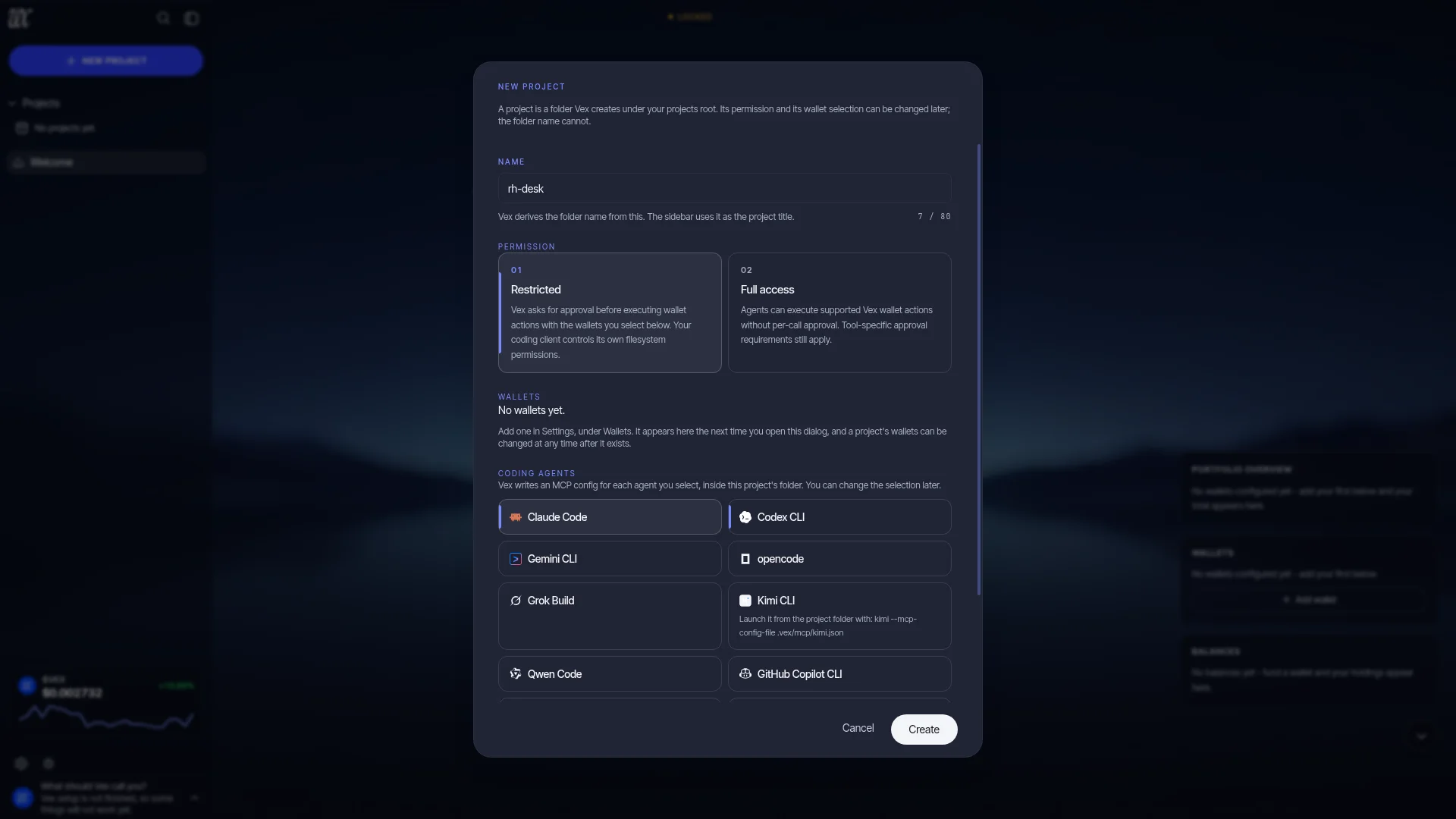
Cline and the Warp CLI have no writer. Both read MCP servers from a user-global file only, and writing one from a project would configure every repository on your machine at once, so Vex does not do it. Selecting them is still recorded: the run reports why there is no file instead of saying nothing.
What the installer does
MCP clients agree on the protocol and disagree on everything else: where the project config file lives, and what it is written in. Some want JSONC, some want TOML (as a keyed table or as an array of tables). The installer writes the right dialect into the right file for each client you select, with the absolute path to the bundled vex-mcpbinary and the project’s uuid already filled in, under the server key vex.
Alongside the client configs it writes four project files, every time and whatever you selected, because they describe the project rather than any one client:
| File | What it holds |
|---|---|
AGENTS.md | The authority core: a managed block with the same usage and safety text the MCP server sends at handshake. Everything outside the block is yours and is never touched. |
.vex/vex-guide.md | The rest of the guide: what changed in this Vex version, which protocol namespaces the project can reach, what an app built on them inherits, how to report a bug. Split out so AGENTS.md stays inside the budget some clients put on it. |
CLAUDE.md | Two import lines, @AGENTS.md and @.vex/vex-guide.md, so Claude Code reads both. Delete one and Vex treats it as your edit until you run Repair. |
.vex/protocols.md | The generated tool table: every exported tool with its title, whether it is read-only or destructive, and any environment variable it needs. |
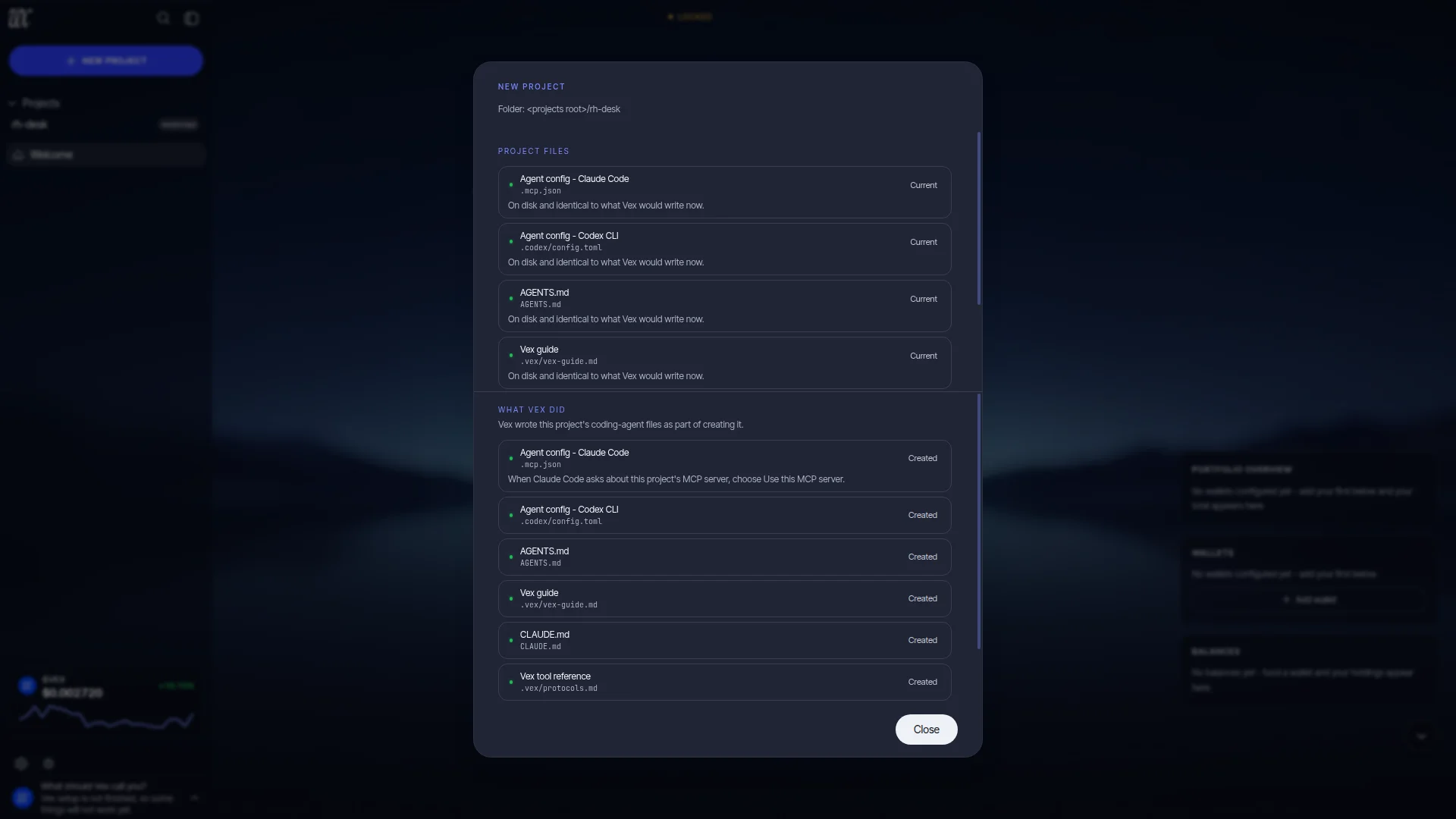
Three rules govern the writes. Every write is verified against a fingerprint first: a file Vex cannot prove it owns is left alone and reported, and a managed block you edited is reported as drift and never overwritten unless you ask for a repair. Nothing is ever deleted.The strongest write is a replacement, and the strongest removal is taking Vex’s own entry back out of a file that stays exactly where it is, which is what deselecting a client does. And Vex never writes a field that grants tool authority: approval modes, trust levels, permission sections and auto-approve lists are on an explicit never-written list per client. If one is already in the file beside Vex’s entry it is preserved, because it is your statement and not Vex’s, and the run reports it as a warning.
Timeouts and approvals
A client’s tool-call timeout matters more than it sounds. When your coding agent calls a mutating Vex tool in a restricted project, the call does not return until a human acts on the approval in the Vex app, and a Studio approval has a window of 1 hour. Most MCP clients ship a default far shorter than that.
So the registry records a timeout mechanism per client, and the four kinds are genuinely different things:
| Mechanism | Clients | What happens |
|---|---|---|
| Written by Vex | Codex CLI, Gemini CLI, opencode, Qwen Code, GitHub Copilot CLI, Mistral Vibe, Factory Droid | The timeout goes into Vex’s own server entry at 3,900 seconds, five minutes past the approval window, in whatever unit and type that client’s format wants (seconds for Codex, milliseconds for the JSON clients, a float for Mistral Vibe). |
| Vendor default is enough | Grok Build | Documented at 6,000 seconds already, so Vex writes no timeout at all. |
| Yours to set | Claude Code, Kimi CLI | The bound lives in the client’s own process environment (MCP_TOOL_TIMEOUT, documented default about 28 hours) or in a user-scope config no project file can reach (Kimi’s is 60 seconds and must be raised by hand). Vex records it and writes nothing. |
| Unverified | Cursor, Amp, Kiro | No tool-call timeout documented after two primary-source passes. Absence of documentation is not absence of a timer, so it is named rather than assumed away. |
A correct config is also not always a working one, and the installer says so. Codex, GitHub Copilot CLI and Mistral Vibe silently ignore project config in a directory you have not trusted in that client, and Kimi has no project scope at all: its generated file does nothing until you launch Kimi with --mcp-config-file pointing at it.
If you wire a client by hand instead of using the installer, raise its tool-call timeout yourself. Otherwise a slow approval looks like a broken tool. See Studio approvals & scope.